Search for a plumber in Marysville, a salon in Lake Stevens or a dentist in Everett, and the first photos you see usually aren't on anyone's website. They're on a Google Business Profile, sitting next to the map pin, the hours and the reviews. For a lot of local service businesses, that little strip of images is the first look a new customer gets, and it's often a mix of a blurry street view, a photo a customer took on a rainy day, and a logo someone uploaded years ago. This is how we'd fix it: which Google Business Profile photos to post, how often to add more, what to leave out, and how a single content day can keep the profile fresh for three months.
Why Your Profile Photos Deserve an Afternoon
Your website is where people go once they're interested. Your profile is where they decide whether to be interested at all. Someone comparing three auto shops in Snohomish, or three daycares in Mill Creek, will often scroll the photos before they read a single review. They're asking simple questions. Does this place look clean? Is it the kind of place I'd walk into? Who will I be dealing with? Can I find the door?
There's also a practical reason. Google says that if the cover photo you choose is low quality, or other sources suggest it isn't the best image of your business, a photo submitted by a customer may be shown instead. If you don't give Google good pictures, it will find some on its own, and you won't get to pick them.
The Five Photo Types Every Profile Needs
Google's tips for business-specific photos list the categories it wants to see and suggest at least three great photos in each. For a Snohomish County service business, five of them matter:
- Exterior. The building, the sign and the entrance, so people recognize you when they pull in. Google suggests a photo from each direction a customer might approach.
- Interior. What it actually feels like to stand inside as a customer: the waiting area, the chair, the counter, the workshop floor.
- Team. You and your staff, a little less formal than a headshot. People want to see who will answer the phone and who will show up at their house.
- At work. Your team doing the job: the stylist mid-cut, the technician under the hood, the hygienist with a patient, the crew on a deck in Arlington.
- Product or result. The thing people pay for. A finished kitchen, a plated dish, a freshly detailed truck, a shelf of your best sellers.
If you only have time for one category this month, start with exterior. It's the photo that saves a customer from driving past you twice on Highway 9.
How to Shoot Each One So It Reads on a Phone
Almost everyone sees these photos on a phone, small, while deciding fast. That changes what works.
- Exterior: show the door, not just the building. Shoot from where a driver or walker first sees you, with the sign readable. A business tucked into a strip mall needs one wide frame for context and one close frame of the entrance. A daytime shot is essential; a second at dusk with the lights on is a bonus, and in November that's barely past 4:30.
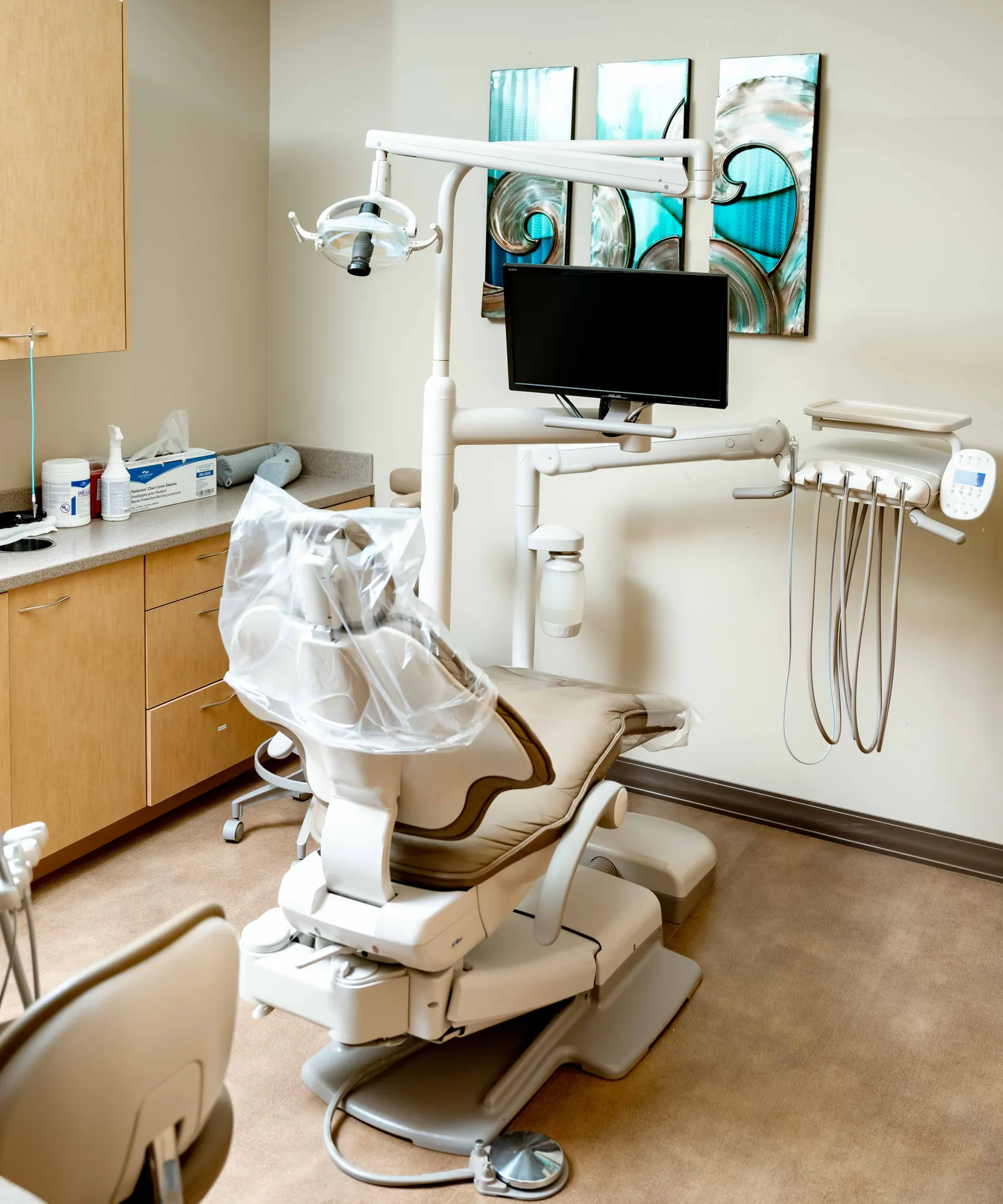
- Interior: shoot from the customer's eye level. Stand where a customer stands, not in the corner behind the desk. Clear the counter, turn on every light, open the blinds. The hero photo above is a good example of the idea: one tidy treatment room tells a patient more than a wide shot of the whole office.
- Team: relaxed, not posed for a brochure. A couple of people laughing at the front desk beats a stiff lineup. Keep at least one photo of the owner; a lot of customers want to know whose name is on the business.
- At work: hands, tools and faces together. The strongest frames show a person and what they're doing in the same shot. Get permission from any customer who appears, and leave out anything private on screens or paperwork.
- Result: evenly lit and honest. One finished project per photo, shot straight on in soft light. Skip the dramatic angles; people are trying to judge the work.
Our guide to brand photography for Snohomish County business owners goes deeper on building a shot list and keeping a consistent look across your website and social accounts, which is the same visual system your profile should match.
How Often to Add New Photos
There's no magic number, and anyone quoting you an exact figure is guessing. What we recommend is steady rather than sudden: a small batch every month or so, instead of uploading fifty photos once and then forgetting the profile for two years.
Our rule of thumb for a small business is three or four new photos a month, spread across the categories, plus an extra upload whenever something real changes:
- A new sign, a remodel, a new location or a new paint color outside
- A new hire or a new role on the team
- A new service, product line or seasonal menu
- A season change that makes your old exterior photo look wrong, like a summer patio shot still leading the profile in January
Two details from Google's help page on managing profile photos are worth knowing. New uploads can take 24 to 48 hours to appear, and your newest media shows first. So the order you upload in matters: post the photo you most want people to see last in each batch.
What to Avoid
Most weak profiles aren't missing photos. They have the wrong ones. These are the ones to leave out:
- Stock photos. A smiling model in a generic office tells a customer nothing about your office, and Google's guidelines say a profile photo should represent reality. If the image could belong to any business in the country, it doesn't belong on yours.
- Logos and flyers as photos. Your logo has its own slot on the profile. Uploading it again as a business photo, along with coupons, graphics and screenshots of your website, just pushes real photos further down.
- Heavy filters and AI edits. Google's quality standard asks for photos that are in focus, well lit and without significant alterations or excessive use of filters or AI. A light color correction is fine. A sky swap or a smoothing filter that makes your shop look like a render is not.
- Dark, tilted or blurry phone shots. If you'd delete it from your own camera roll, don't publish it.
- The same photo three times. Duplicates don't help, and Google may not accept a file it already has.
The basics are simple: JPG or PNG files between 10 KB and 5 MB, at least 720 pixels tall and wide for best results, and videos of up to 30 seconds at 720p or higher. Your profile also has to be verified before any of it shows up.
How One Monthly Content Day Fills a Quarter
Here's the problem with "add a few photos every month": nobody has time to stage and shoot them every month. The fix is to shoot once and release slowly.
Our Content Capture plan is $1,500 a month and includes a four-hour shoot on site every month, 25 edited photos and 10 captioned vertical clips of 15 to 30 seconds. Most of that is built for your website and social media. But if we know your Google profile needs attention, we plan part of the first shoot around it: the exterior from each approach, the interior from the customer's view, the team, the team at work, and your best results. From that one day, we'd set aside about a dozen frames for the profile and spread them out:
- Week 1: a new cover photo, two exteriors and one interior, so the biggest gaps close first.
- Month 1, later: one team photo and one at-work photo.
- Month 2: two at-work photos, one result and one interior detail.
- Month 3: two results, one team photo and one more exterior, ideally in different light.
- Any week: one of the vertical clips, since they already fit Google's 30-second video limit.
That's a quarter of steady uploads from a single morning, and the following months' shoots keep the pipeline full, picking up whatever changed: a new hire, the holiday window, the summer patio. If a monthly plan is more than you need, a one-off content day is $750, and doing one each quarter covers the profile on the same schedule. We walk through exactly how that morning runs, hour by hour, in what a content day looks like for a Lake Stevens or Marysville business.
On both monthly plans, every photo and clip comes with full commercial usage rights, so it can go on your profile, your website, your social accounts, print and paid ads without a second conversation.
Where We Fit
We're Sunny and Tina, a husband-and-wife photo and video team based in Lake Stevens, working with businesses across Snohomish County, from Everett and Marysville to Snohomish, Mill Creek and Arlington. We've spent eight years photographing people in real places under whatever light the day gives us, which is most of what good profile photos come down to.
If your profile is still leading with a street-view screenshot, send us a note with your business name and town, email sunny@sunnytproductions.com, or text (708) 677-7136. We reply within the hour, 7 days a week.
Related: commercial content for local businesses · brand photography guide · what a content day looks like